# Part 2 - Scaling App-V content distribution using Azure CDN
- URL: https://blog.jourdant.me/post/scaling-app-v-content-distribution-using-azure-cdn
- Author: Jourdan Templeton
- Published: 2014-11-26T23:38:25.902Z
- Updated: 2015-01-31T22:06:44.867Z
- Category: App-V
- Tags: App-V, Azure
- Summary: Putting Azure CDN in front of Blob Storage so App-V clients around the world stream packages from the closest location.
This is the final post in a two post series explaining how to utilise [Microsoft Azure](https://blog.jourdant.me//www.azure.com) to serve [Microsoft App-V 5.0](https://blog.jourdant.me//technet.microsoft.com/en-nz/library/jj713418.aspx) content.
* [App-V + Azure \[Part 1\]: Serving App-V content using Azure Blob Storage](https://blog.jourdant.me/serving-app-v-content-using-azure-blob-storage)
* [App-V + Azure \[Part 2\]: Scaling App-V content distribution using Azure CDN](https://blog.jourdant.me/scaling-app-v-content-distribution-using-azure-cdn)
### Design
For this scenario, we are building on the design from [Part 1](https://blog.jourdant.me/serving-app-v-content-using-azure-blob-storage).
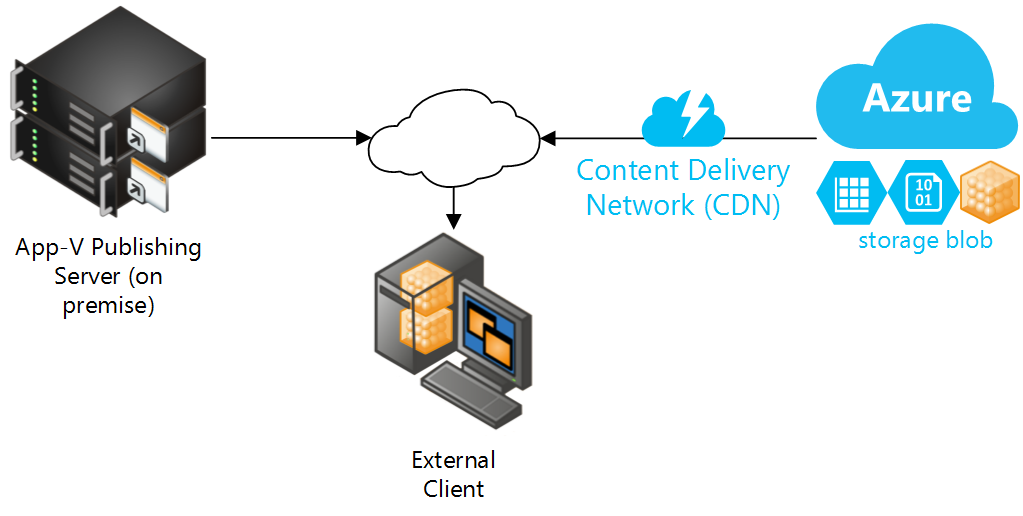
The changes include adding an [Azure CDN](https://blog.jourdant.me//azure.microsoft.com/en-us/services/cdn/) in front of the [Azure Blob Storage](https://blog.jourdant.me//azure.microsoft.com/en-us/documentation/services/storage/). This will allow clients distributed globally to get their App-V content from the [geographically] closest location. The goal is to create a faster, smoother experience for all users in all locations.
### Pre-requisites
If you are following along with the steps in this blog post, I recommend running through the steps in the [first part of this series](https://blog.jourdant.me/serving-app-v-content-using-azure-blob-storage). You will need an Azure Blob Storage account and container set up to publish with the CDN.
### Steps
#### 1. Create Azure CDN Endpoint
In the Azure Portal, create a new CDN Endpoint. Select the URL of the Storage Account we created in [Part 1](https://blog.jourdant.me/serving-app-v-content-using-azure-blob-storage).
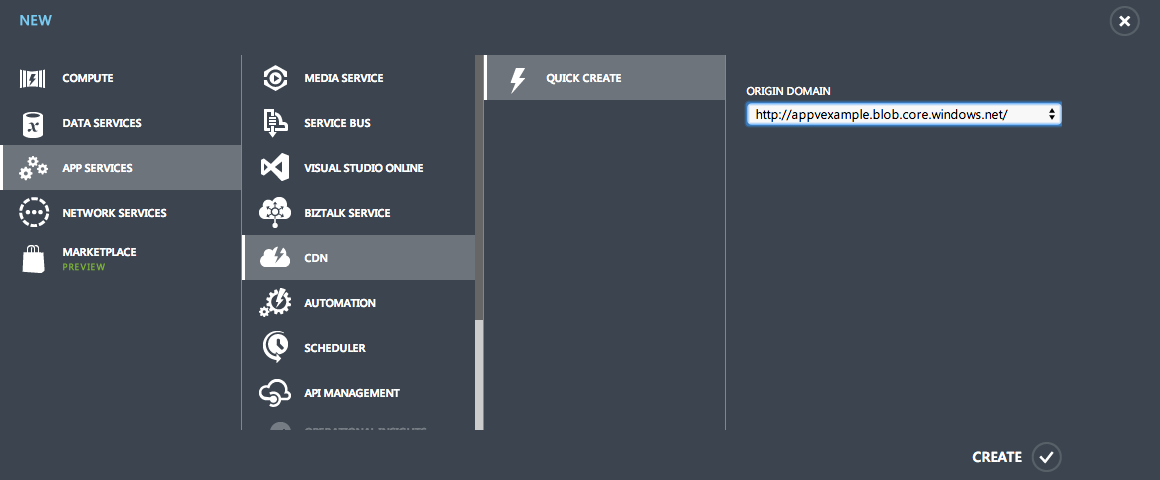
**Note: The endpoint shows up straight away in the Azure Portal. The publishing takes around 15 min to be fully set up however.**
#### 2. Test URLs
The CDN base URL can be found on the main screen of your CDN endpoint.
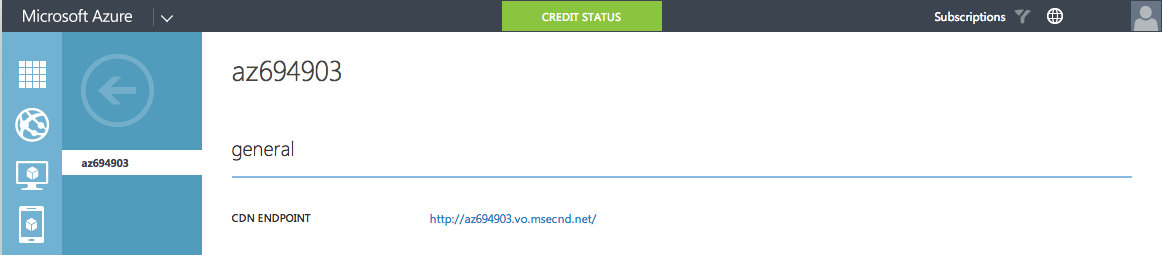
This URL is equivalent to the base URL of your Storage Account. For example:
```
Storage Account URL:
http://appvexample.blob.core.windows.net/content/AppV5_7-zip_9.20_x64.appv
CDN URL:
http://az694903.vo.msecnd.net/content/AppV5_7-zip_9.20_x64.appv
```
#### 3. Add custom domain _(optional)_
We can make this URL look a lot nicer by adding a custom domain, eg, [http://appvcdn.jourdant.me](appvcdn.jourdant.me).
Create a CNAME DNS record from your chosen domain name pointing at your CDN endpoint domain name.

In the settings for your CDN Endpoint, click Manage Domains and add the new domain to the list.
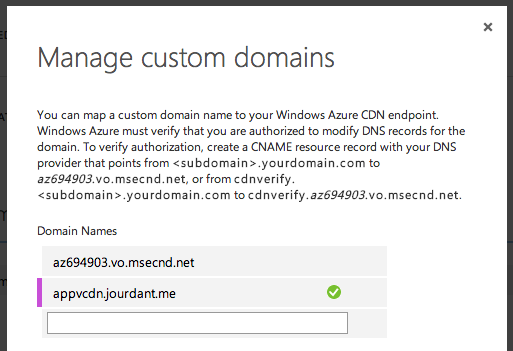
**Note: It will take another 15 min for these settings to be replicated out globally.**
Custom domains can be used as the base URL. The after waiting for the replication you can use the following PowerShell command to test your CDN.
```powershell
Add-AppVClientPackage -Path "http://appvcdn.jourdant.me/content/AppV5_7-zip_9.20_x64.appv" | Publish-AppVClientPackage -Global
```
### Conclusion
Microsoft App-V 5.0 makes it really easy to scale the delivery of applications globally. Using Microsoft Azure or similar storage and CDN services, you can create a smooth experience for your users globally.
Jourdan